A heuristic evaluation of boots.com's makeup shopping journey — ten usability gaps, diagnosed, prioritised, and redesigned against live retail patterns.
"The interface expects shoppers to think in its language — not the other way around."
Across ten heuristic violations, the same root cause kept surfacing: technical system-speak ("Ship To"), a header that reads like an admin panel, and flows that make people work store-by-store instead of shopping naturally. Three findings show this most clearly — those get the full redesign treatment below; the other seven are logged in the summary table.
Orange dots (2, 7, 8) are the three explored in full below — one quick win, one measured investment, one bigger bet.
The header control that changes delivery country and currency is labelled "Ship To" — a warehousing term, not language a shopper reaches for. Clicking it opens a bare list of countries and currencies with no framing: no explanation of what changing it actually affects, and no confirmation of what's currently selected beyond a small flag icon that's easy to miss on a first visit.
Delivery location touches price, currency, and what's even available to buy — it's one of the few header controls with real consequence if set wrong. When both the label and the overlay speak system language instead of shopper language, people either skip it entirely and hit a pricing or delivery surprise later at checkout, or hesitate over it mid-browse, right when they should be looking at products.
Relabel it "Deliver to: United Kingdom" with the flag inline, so the current state is legible without opening anything. Replace the bare list with a searchable overlay pairing country and currency — the pattern Sephora UK uses on its own location selector — so switching regions is one confident action instead of a guess.
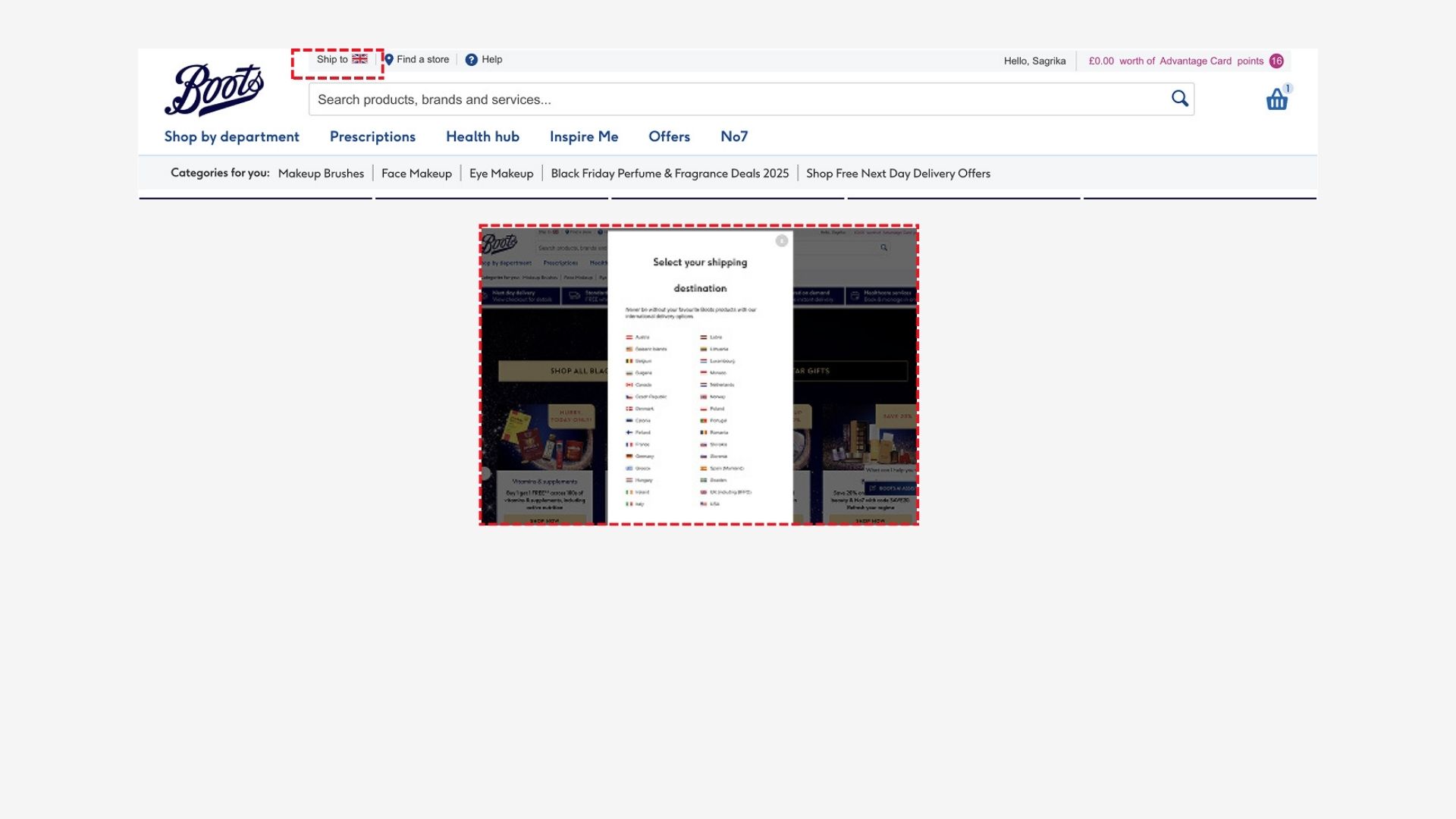 Before — annotated screen
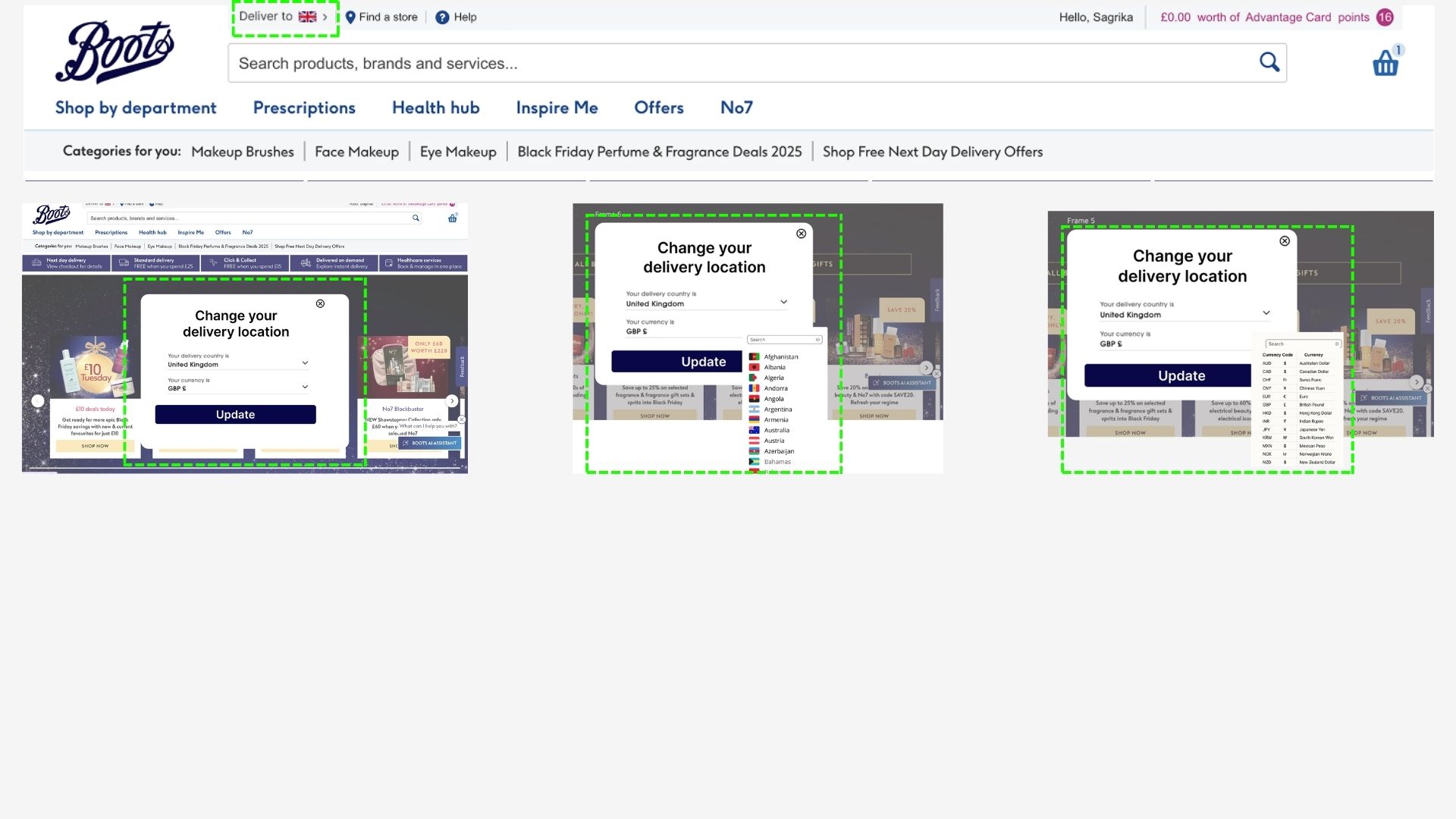 After — redesigned overlay
The product grid has no quick-view option. Checking a shade, a formula detail, or a review means opening the full product page, then backing out to the grid — for every item being compared. There's no shortcut for someone who already knows roughly what they want and just needs to confirm a detail.
This penalises exactly the shoppers most likely to convert — the ones who've narrowed their choice to two or three products and are in the final comparison stage. Reloading a full page for each one turns a short decision into a long one, and every extra load is another chance to lose momentum or get distracted. The cost scales with basket size: the more someone's comparing, the worse it gets, right at the point closest to purchase.
Add a "Quick Look" action to each product card, opening an in-place overlay with the essentials — image, price, shade options, short description — plus a "View Full Details" link for anyone who wants the full page. This mirrors H&M's quick-view pattern and keeps the grid itself as the base shoppers return to between comparisons, instead of the browser's back button.
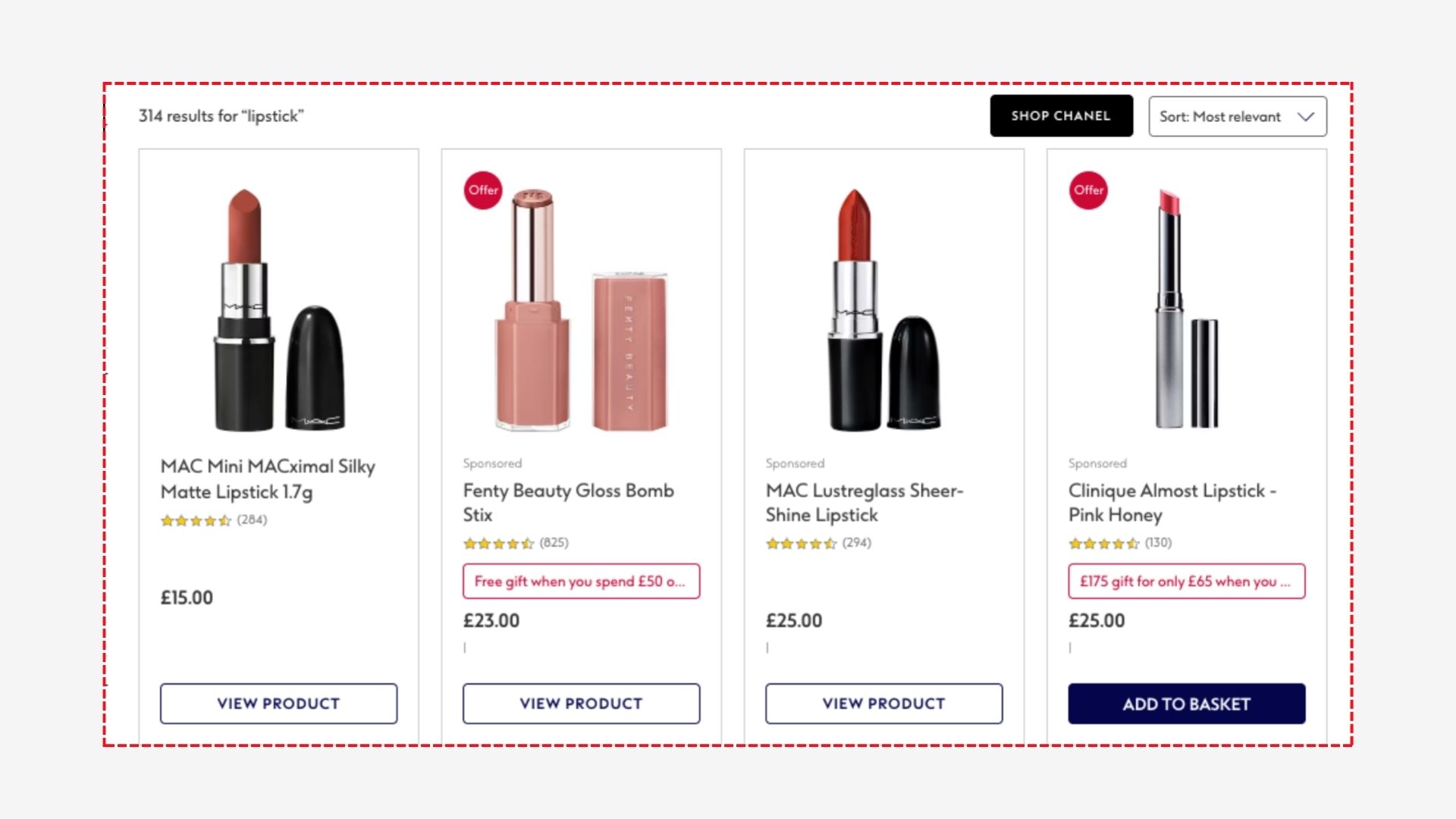 Before — full grid, no shortcut
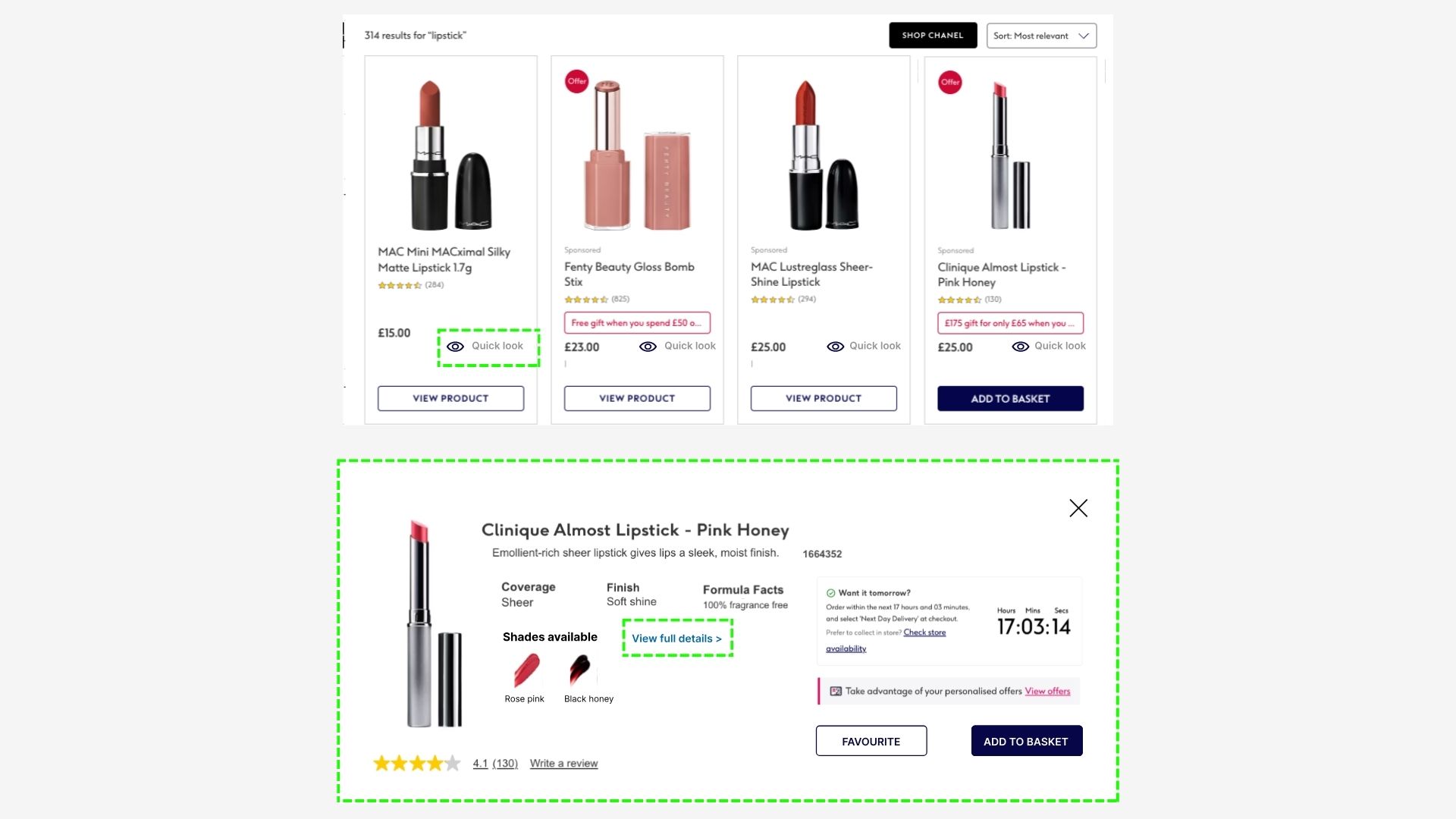 After — Quick Look overlay
The header packs "Ship To," "Find a store," "Help," account status, and the Advantage Card balance into one dense row, tightly spaced, with the points balance spelled out in full text every time. Nothing in it is wrong individually — but together it front-loads the page with information before a shopper has looked at a single product.
A header is read on every page of the site — it has more cumulative exposure than any other piece of UI. Clutter there doesn't just look busy, it raises the baseline cognitive load for the whole session, because people are quietly parsing or learning to tune it out on every load. Density also buries the controls that actually matter — delivery, search, account — under ones that don't need that much visual weight, like a balance spelled out in words rather than a glance.
Widen the spacing between header elements so each control reads as distinct, and reduce the Advantage Card section to an icon plus the points figure, dropping the redundant text. This follows the same restraint Apple applies to its own header — show only what earns its place, and let whitespace separate functions instead of borders or extra copy.
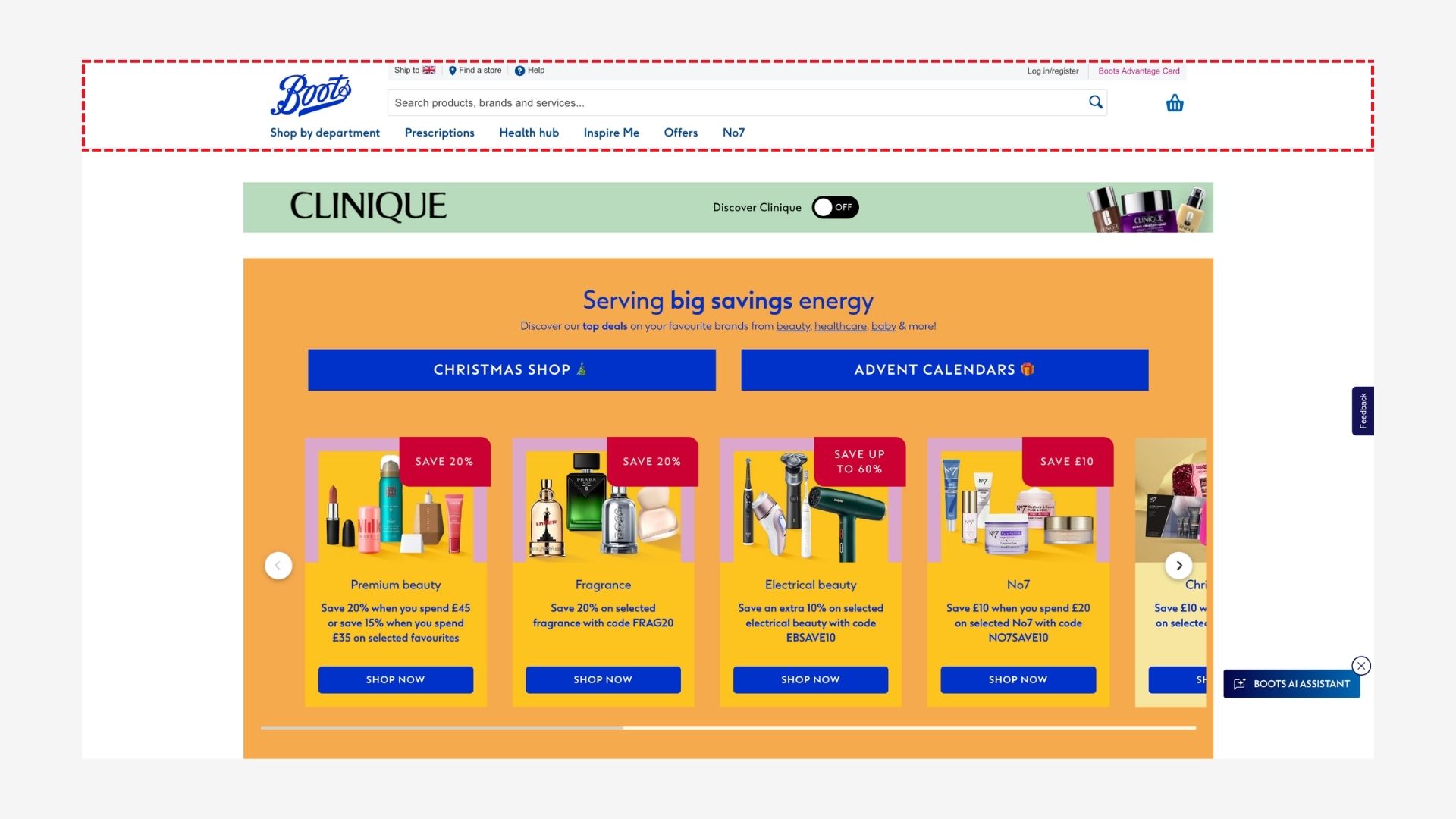 Before — dense header
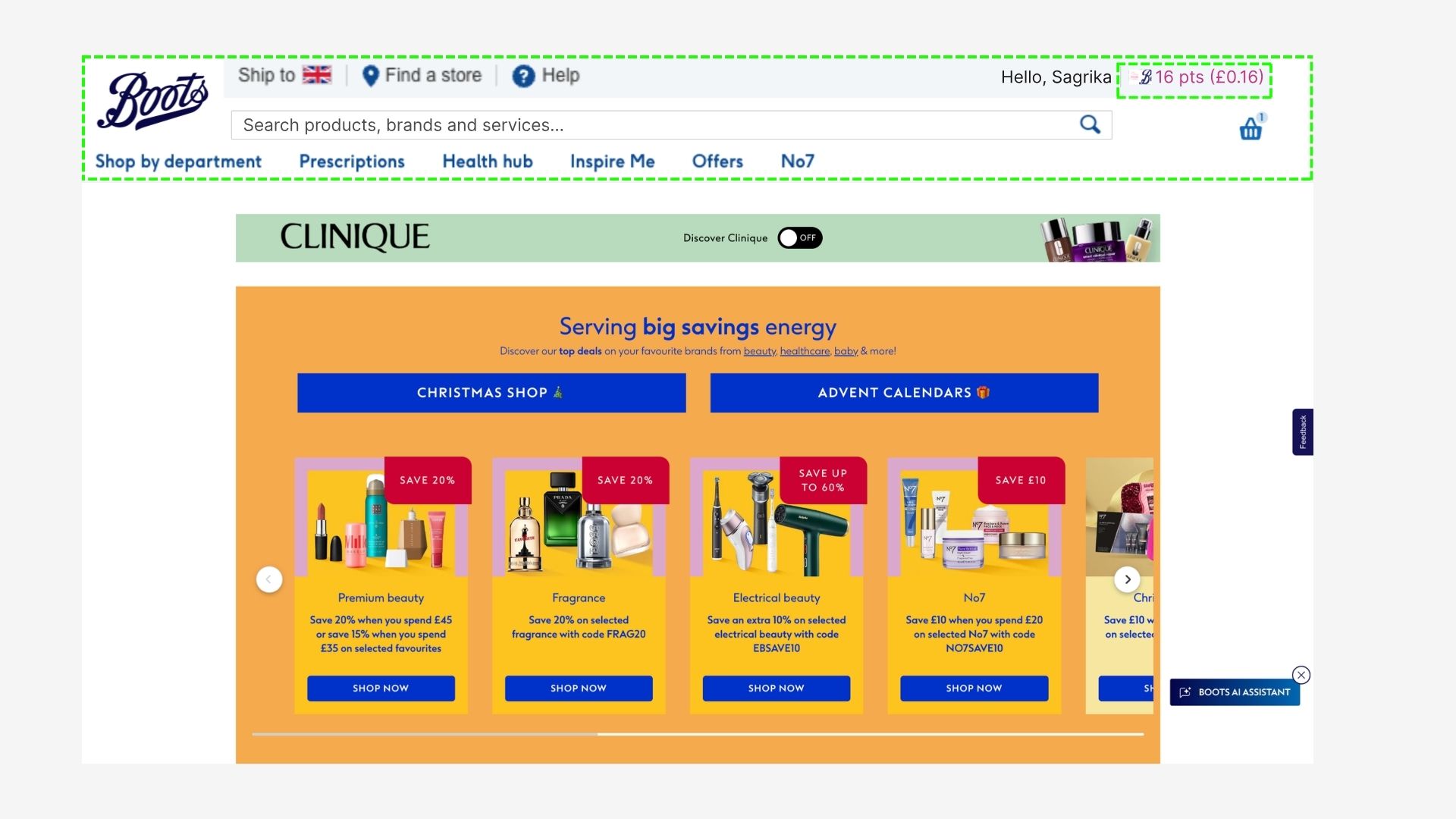 After — simplified header
| Issue | Heuristic | Severity | Fix | |
|---|---|---|---|---|
| No confirmation on wishlist add | Visibility of system status | ★★☆☆☆ | Heart icon fills + micro-feedback on tap | Quick win |
| Locked fields when editing address | User control & freedom | ★★☆☆☆ | One unified, fully editable address panel | Medium |
| Three different CTAs on one grid | Consistency & standards | ★★☆☆☆ | Single "Add to Basket" action everywhere | Quick win |
| Store list overlaps when expanded | Error prevention | ★★☆☆☆ | Accordion layout, one store open at a time | Medium |
| "Hello, Sagrika" gives no interactive cue | Recognition over recall | ★★☆☆☆ | Profile icon + labelled dropdown | Quick win |
| Checkout freezes with no progress state | Error recovery | ★☆☆☆☆ | "Processing your order" loading state | Quick win |
| "Need help" link does nothing | Help & documentation | ★★☆☆☆ | Contextual FAQ + chat overlay, in-flow | Medium |
"Ship To" vs "Deliver to Home" is a copywriting decision, but it has real UX consequences. This project deepened my appreciation for content design as an inseparable part of the UX discipline.
Inconsistent components are rarely intentional — they accumulate over time without a shared design system. This evaluation made the business case for design systems tangible, not theoretical.
"Good UX isn't about making things look nice — it's about making sure nothing gets in the way of the user doing what they came to do."